Why my LinkedIn Search Export only returned 1,000 results, and how I fixed it

If you're using the LinkedIn Search Export Phantom with a Spreadsheet URL input, here's something to watch out for!
I recently ran a job search using 14 different LinkedIn search URLs listed in a spreadsheet. In the Behaviour step of the setup, I set both Results to export per launch and Results to export per search URL to 1,000. So I expected thousands of results in total…
Instead, the Phantom gave me only 1,000 results in total, and it looked like it only processed the first 2 links in my sheet.
Here’s what I learned:
What caused it
The Phantom was trying to process all rows in one launch. But since each launch is capped at 1,000 results total, it stopped early, before it could finish the rest of the list.
How to fix it
To make sure it processes each URL one by one (and collects up to 1,000 results per URL), I updated my setup:
1) In the Behavior step, set Rows in your spreadsheet to process per launch to null. → This tells the Phantom to process one row (one URL) per launch.
2) Keep Results to export per search URL at 1,000.
3) Turn on automatic launches so the Phantom runs through the spreadsheet over time.
If you’ve already run it once, you can:
- Delete the rows that were already processed from your sheet
- Or rename your result file in the Phantom’s settings to restart fresh
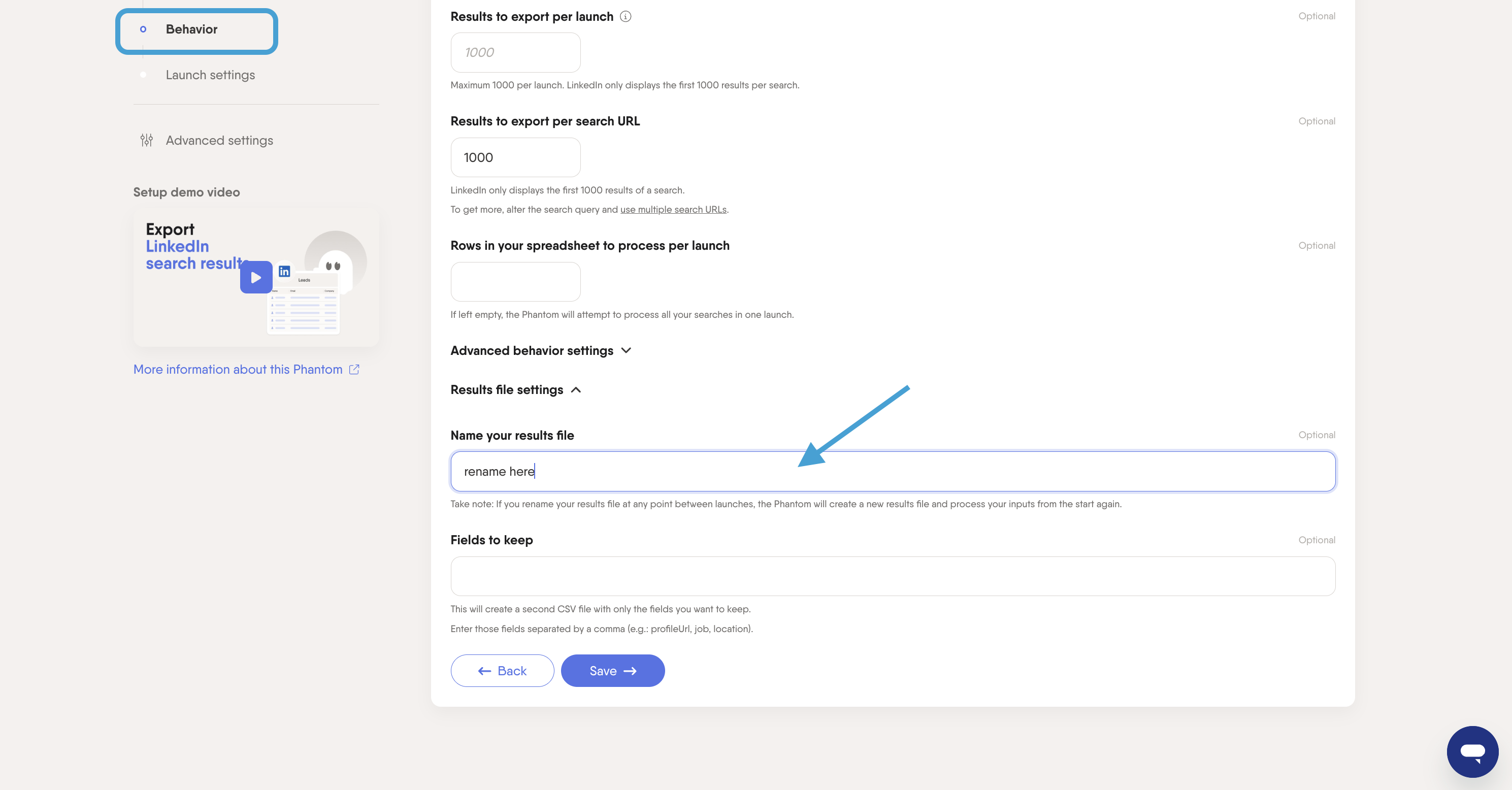
Hope this helps if you're trying to run multiple search URLs and noticed a result cap. Feel free to chime in if you've seen similar behavior or have tips of your own! 🙌
Comments
0 comments
Please sign in to leave a comment.